
Overview
LPG Gas Leakage Detection and Alert

Abstract
The main purpose of this project is to avoid the damage caused by the lpg gas leakage or to reduce the risk of gas leakage caused by the user's ignorance. so, in order to avoid this, we have developed an efficient prototype for gas leakage system that indicates to the user that immediately after a leakage, the buzzer gets turned on, which will act as an alarm to get everyone out of the building/house. When we talk about the application and major advantages of this particular project, we can see that it can help save a lot of human lives along with property damage if the system is well controlled and used in places like houses, industries, hotels, and hospitals. LPG gas is an essential need for every household but a small mistake can lead to a disaster so, to prevent that disaster we have a device. If there is any leakage in lpg gas then this device detects the gas and makes an alert with the help of a buzzer. Here we have used an Arduino uno it is a microcontroller which receives and transfers the information, buzzer is used to give an alert to people nearby , a gas sensor is used to detect gas leakage, and a relay is used to turn off the electric appliance. gsm is used to give an alert through a message to your mobile. The advantage of this project is that it's easy to build, easy to modify as per the requirement, has early warning, and has low power consumption.Introduction
There are many appliances of lpg gas like it can be used in heating appliances, cooking also used in vehicles. The consumption of lpg gas has drastically increased by about 76% from 140 million in 2014 to 247 million which is very high. Most gas leakage accidents are caused because of a poor-quality rubber tube, lack of knowledge or the regulator knob not which will not be turned off when it is not in use. turning off the regulator when it is not in use is a very good practice as it might help prevent the leakage of lpg. Here, an arduino-based lpg leakage detector is used whenever there is any leak of gas along with a buzzer which will warn the people residing inside any building/office/home. The main advantage of the project is that it gives a remote indication to the user about the lpg gas by activating a buzzer. The goal of this project is to identify the presence of LPG leakage as a part of a safety system. Apart from a sound alarm, an relay is used so that all the electric appliances can be turned off immediately. Here We used a gas sensor (MQ6) to detect the LPG if the gas leak reaches beyond a certain level. This proposed project will activate the sound alarm to intimate the nearby people.Components Required
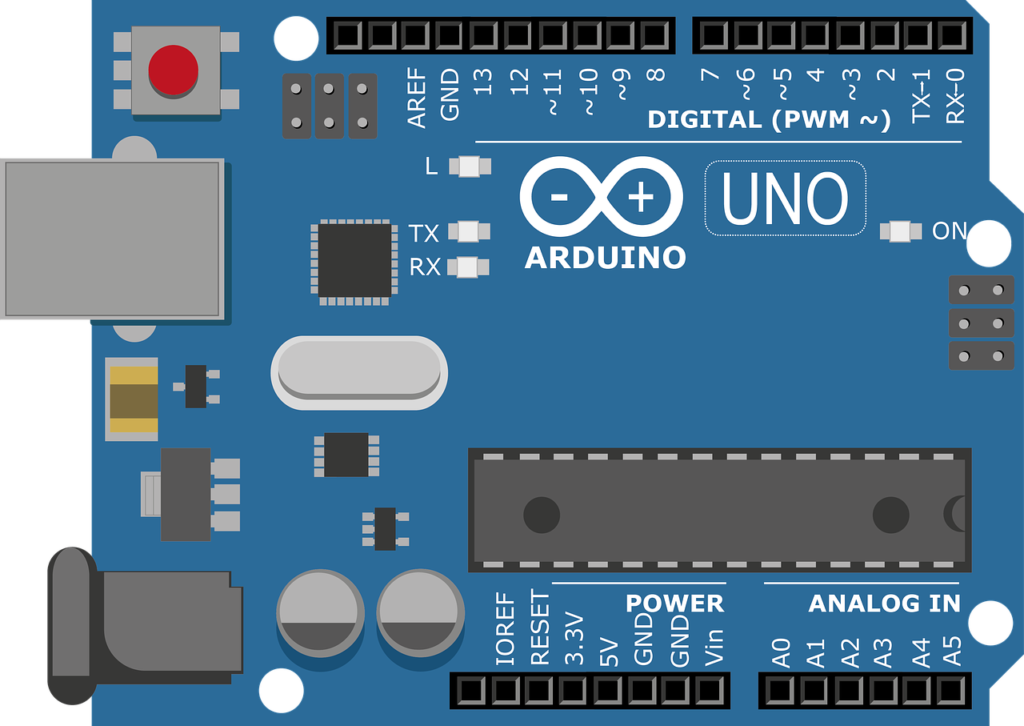
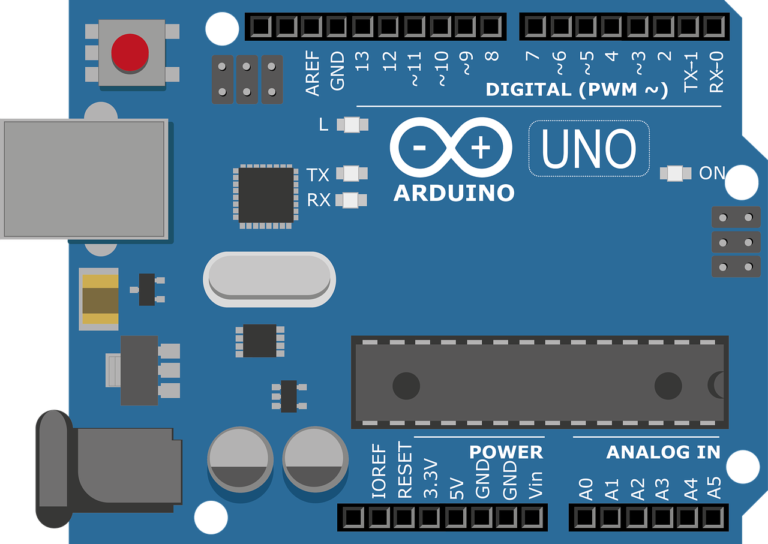
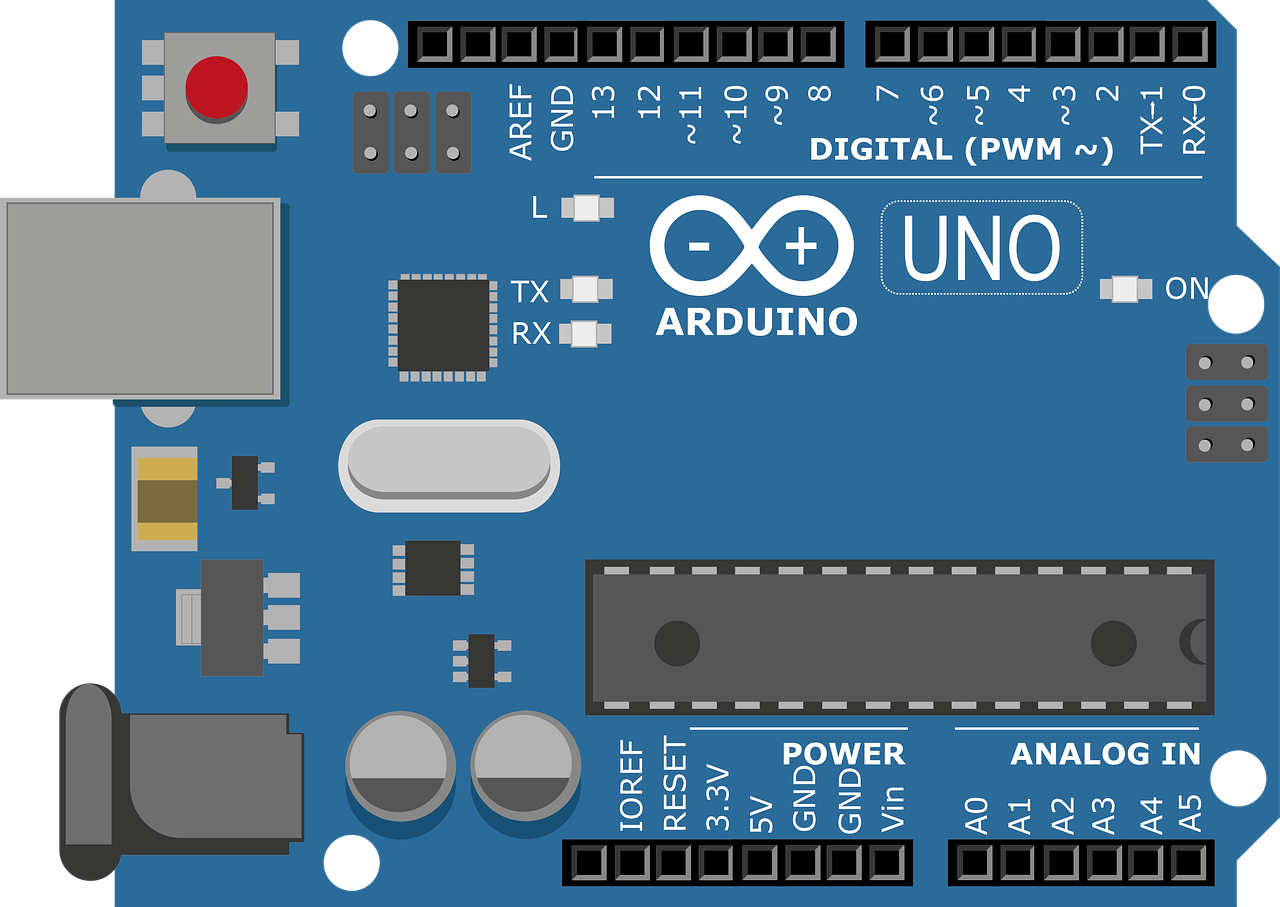
Hardware Requirements- Arduino Uno : Arduino Uno is a microcontroller from the Arduino Family. It was developed by Arduino.cc and is based on the Microchip ATmega328P microcontroller. Unohave 20 I/O pins, 6 are analogue and 14 are digital pins.
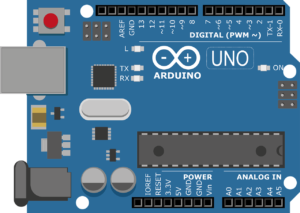 For more details, pinout and datasheet, you can visit : https://docs.arduino.cc/hardware/uno-rev3
- Buzzer : An Audio Signaling Device. Buzzers can be mechanical, electromechanical, or piezoelectric. It produces an alarming sound when triggered. Used in various applications like Game buzzer, Alarm Buzzer, Trains, etc.
- Gas Sensor (MQ6) : MQ6 Gas Sensor as known as LPG Gas Sensor, used to detect the LPG Gas in industries, offices, hospitals, homes and other places also. It is also used in detection of iso-butane & propane.
- Single Channel Relay : A Relay is an electrically operated switch. It is used to control the motors, locks, pumps, etc. Having 3 pins, VCC, GND, IN.
- 16X2 LCD : LCD stands for Liquid Crystal Display. It is having 16 Columns and 2 Rows as it can display 32 characters in two line.
- Arduino Ide : Arduino IDE (Integrated development environment) is software that is used to dump the program into boards. Arduino- IDE's major use is to build electronics-related projects. Arduino is an open-source platform simple and easy-to-understand platform for coding.
Block diagram
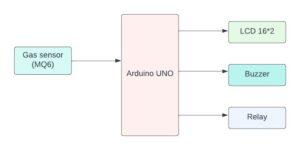
The block diagram describes the relationship between the input devices and output devices. Here in this case, the input device is a gas sensor that sends the information to arduino where the output is transmitted to the specific devices such as lcd, buzzer, and relay these devices receive the information from the arduino which is given by the input device and the output is displayed on the lcd along with the buzzer generating an alarm.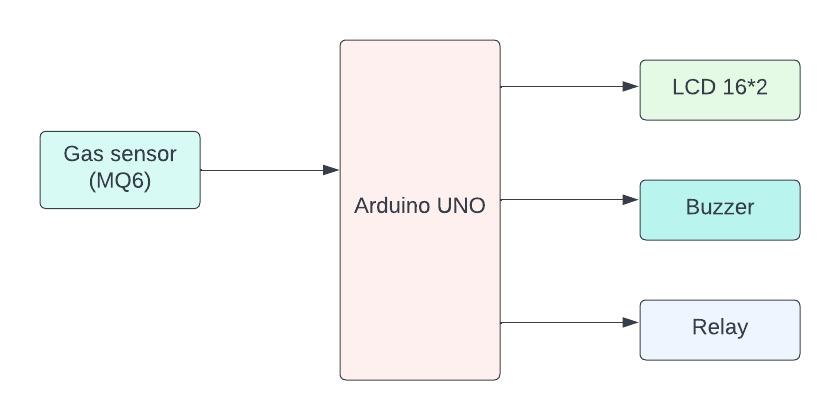
Flow Chart
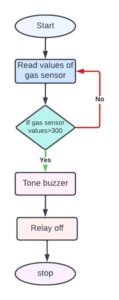
A flowchart is a diagram that shows a process' individual steps in their proper order, similarly the following flow chart tells about the steps involved in the project and the sequential flow of the code also. So as it starts, first it reads the sensor if the sensor value is greater than the given condition then turns on the buzzer and relay else turn off the relay and buzzer and display the values on the screen.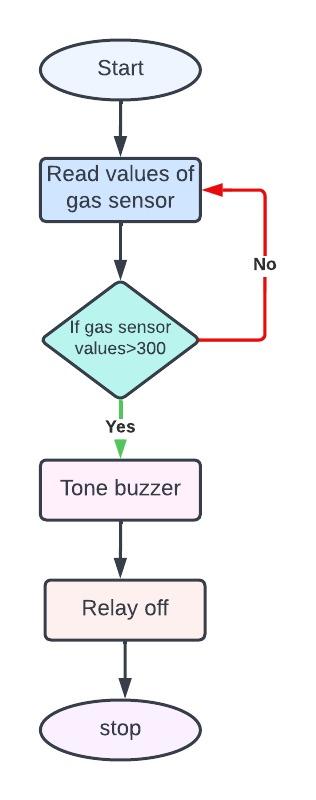 *website used to make Flow Chart and Block Diagram : https://www.lucidchart.com/pages/
Pin Wiring
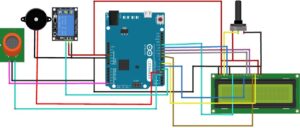
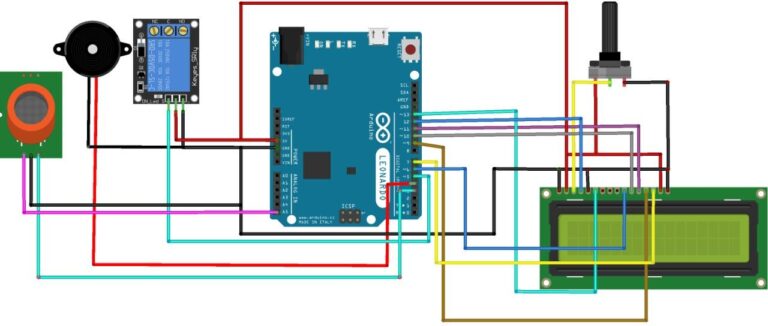
MQ6 has 4 pins The following pin connection shows how to connect MQ6 Gas sensor with Arduino Uno. MQ6 sensor has 4 pins. VCC is connected to Digital pin 3 of Arduino UNO, Ground is connected to GND of UNO(you can connect to any ground), A0(It is an analogue pin, gives the data in analogue form) connected to A5 pin of Arduino Uno. 4th pin is D0, it is a digital pin, which gives the value in digital form i.e. 1 & 0, so we didn't connect that. Relay has 3 pins
The following circuit diagram shows the connection between relay and Arduino Uno. Vcc pin of Relay is connected to 5V of Arduino Uno, Ground of Relay is connected to GND of Arduino Uno(you can connect to any ground of Uno), IN pin of relay is connected to pin 5 of Uno.
By making pin 5 HIGH or LOW we can trigger the relay.
Relay has 3 pins
The following circuit diagram shows the connection between relay and Arduino Uno. Vcc pin of Relay is connected to 5V of Arduino Uno, Ground of Relay is connected to GND of Arduino Uno(you can connect to any ground of Uno), IN pin of relay is connected to pin 5 of Uno.
By making pin 5 HIGH or LOW we can trigger the relay.
 Buzzer has 2 pins
The following diagram shows the pin connection of buzzer with Arduino Uno. Buzzer has two pins, +5v and Ground. We connect +5v to pin 4 of Arduino Uno and Ground to GND(you can connect to any ground of Uno). Making pin 4 HIGH or LOW we can activate or deactivate the buzzer.
Buzzer has 2 pins
The following diagram shows the pin connection of buzzer with Arduino Uno. Buzzer has two pins, +5v and Ground. We connect +5v to pin 4 of Arduino Uno and Ground to GND(you can connect to any ground of Uno). Making pin 4 HIGH or LOW we can activate or deactivate the buzzer.
 16X2 LCD has 16 Pins
The following diagram shows how to connect LCD to Arduin Uno. LCD has 16 pins, below table tells you which pin of LCD connected to Arduino Uno pin. 3 pins are connected to Potentiometer, Potentiometer is used to adjust the text brightness. So connect two pin of Potentiometer with 5v and Ground and connect middle pin of Potentiometer to VEE pin or LCD.
16X2 LCD has 16 Pins
The following diagram shows how to connect LCD to Arduin Uno. LCD has 16 pins, below table tells you which pin of LCD connected to Arduino Uno pin. 3 pins are connected to Potentiometer, Potentiometer is used to adjust the text brightness. So connect two pin of Potentiometer with 5v and Ground and connect middle pin of Potentiometer to VEE pin or LCD.

Circuit diagram
Note: make sure to take proper precautions while connecting the components.
Working
MQ6 Sensor detects LPG gas in the surrounding area and displays the analogue value on the LCD via Arduino Uno. Arduino gets the value from Gas Sensor and sends that value to LCD for Display, we can also see the values on Serial Monitor & If the value of gas goes above a certain limit, it will trigger the buzzer as well as activate the relay. The relay can be connected to any of the devices, such as doors, to cut off the electricity, to windows, etc.Conclusion
Here, we detect the LPG leakage which is very beneficial for any structures with LP gas connections, including hotels, residences, resorts,hospitals, etc. It also alerts if the value goes above a certain limit. In the future we can connect this to IoT so that we can get real time data and alert the concerned person through iot.Working Code
#include <LiquidCrystal.h>                                               //Using the Arduino as the controller device, the library Allows communication with liquid crystal displays (LCDs).
LiquidCrystal lcd(A0, A1, A2, A3, A4,A5);                                 // initialize the library by associating any needed LCD interface pin with arduino uno
int relaypin = 7;                                                        // integer relay is connected to the pin 7 of arduino uno
int buzzer = 9;                                                          // integer buzzer is connected to the pin 7 of arduino uno
int LPG = 12;                                                            // integer LPG gas sensor  is connected to the pin 7 of arduino uno
#include <SoftwareSerial.h>                                             //Create software serial object to communicate with SIM800L
SoftwareSerial mySerial(3, 2);                                          //SIM800L Tx & Rx is connected to Arduino #3 & #2
void setup() {
  lcd.begin(16, 2);
  pinMode(relaypin, OUTPUT);                                              //Set relay as OUTPUT device
  pinMode(buzzer, OUTPUT);                                                //Set buzzer as OUTPUT device
  pinMode(LPG, INPUT);                                                    //Set LPG gas sensor as INPUT device
  pinMode(6,OUTPUT);
  pinMode(8,OUTPUT);
  pinMode(5,OUTPUT);
  pinMode(4,OUTPUT);
  pinMode(10,OUTPUT);
  pinMode(13,OUTPUT);
   Serial.begin(9600);
   //Begin serial communication with Arduino and SIM800L
   mySerial.begin(9600);
}
void loop() {
 /*initialize the current position the devices used */
  digitalWrite(8,LOW);
  digitalWrite(10,HIGH);
  digitalWrite(6,LOW);
  digitalWrite(4,LOW);
  digitalWrite(5,HIGH);
  digitalWrite(13,HIGH);
  int digitalSensor = digitalRead(LPG);
  Serial.print("Pin A0: ");
  Serial.println(digitalSensor);
                                                                    // Checks if it has reached the threshold value
  if (digitalSensor==0)
  {
    digitalWrite(relaypin, HIGH);
    tone(buzzer, 1000, 200);
    lcd.clear();
  lcd.setCursor(0, 0);
  lcd.print("GAS LEAKAGE");
  lcd.setCursor(0,1);
  lcd.print("DETECTED");
  Serial.println("Initializing...");
  delay(1000);
  mySerial.println("AT");                                            //Once the handshake test is successful, it will back to OK
  updateSerial();
  mySerial.println("AT+CMGF=1");                                     // Configuring TEXT mode
  updateSerial();
  mySerial.println("AT+CMGS="+9193479771**"");                      //change ZZ with country code and xxxxxxxxxxx with phone number to sms
  updateSerial();
  mySerial.print("GAS LEAKAGE IN HOME");                              //text content
  updateSerial();
  mySerial.write(26);
}
  else
  {
    digitalWrite(relaypin, LOW);
    noTone(buzzer);
    lcd.clear();
    lcd.setCursor(0, 0);
  lcd.print("NO LEAKAGE");
  }
  delay(100);
}
void updateSerial()
{
  delay(500);
  while (Serial.available())
  {
    mySerial.write(Serial.read());                                            //Forward what Serial received to Software Serial Port
  }
  while(mySerial.available())
  {
    Serial.write(mySerial.read());                                            //Forward what Software Serial received to Serial Port
  }
}
Advantages
- Low prices
- Reduced energy use
- Reducing human loss
- Reducing property damage




Need the source code or help?
Contact us for model weights, datasets, or guidance on running this project.