Satellite images may have been taken in a bright or dark situation. Information may get lost because of the excessively bright or dark appearance of the image. The discrete wavelet transform (DWT) technology is used to improve the satellite picture. The proposed enhancement technique uses 2D-level DWT to decompose input images into different subbands. Edges are detected through threshold decomposition. This project is done using MATLAB software.
Code Description & Execution of Enhancement of Satellite Image using 2D Level DWT
Algorithm Description
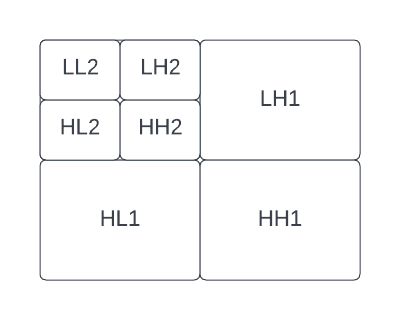
Fig 1: 2D level DWT Sub bands
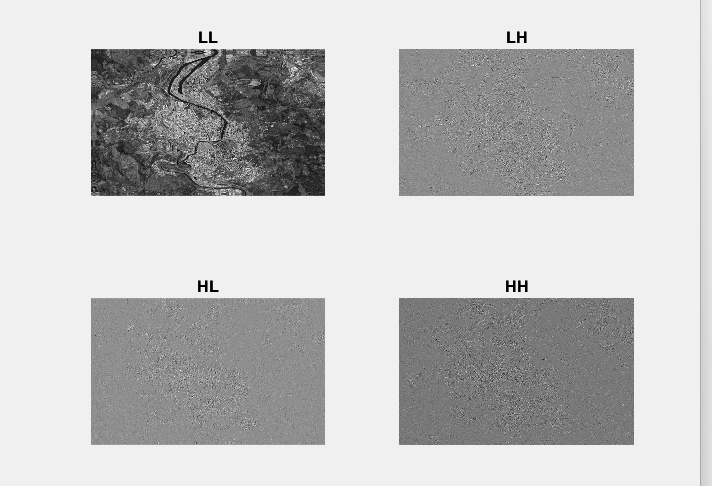
2D level DWT has been introduced as a flexible method for the subband decomposition of signals. At the 2D level, four different subbands (HH), (HL), (LH), and (LL) are obtained by a combination of High and Low pass filtering at each level.
2D-level DWT converts the image pixel values to different frequency subbands such as LL, LH, HH, and HL. LL subband will have pixel information that is sensitive to human perception. All other subbands represent unnecessary pixel information. To filter out unnecessary pixel information, threshold decomposition and morphological filtering are used.
A two-input satellite color image is used. It is decomposed into a smaller pixel dimension and RGB. Then 2D level DWT decomposition is performed. Thresholding is done to the image to remove noise. Median filtering is applied to further reduce noise. Morphological filtering techniques, such as median filtering, can be employed to further reduce noise and smoothen the image. Each pixel value is replaced with the median value in its neighbourhood, thereby decreasing random noise while keeping significant picture properties.
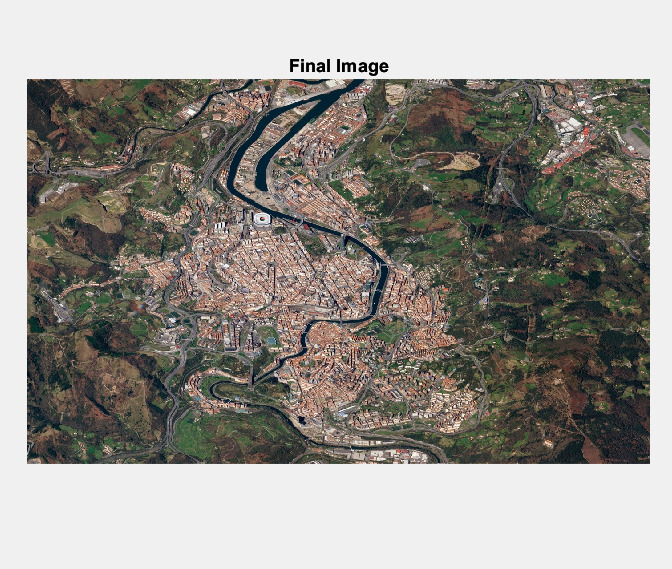
The reconstructed satellite image can be obtained using the Inverse Discrete Wavelet Transform (IDWT) technique. The IDWT combines the modified subbands, including the enhanced LL subband and the filtered LH, HH, and HL subbands, to reconstruct the final image.
Code Description
The main.m file is the format of the MATLAB files
Note :
The folder contains satellite data which is given as input.
Matlab files or codes are saved in .m and .mat format.
Steps to Execute the Code
Download the zip file of this project and unzip it.
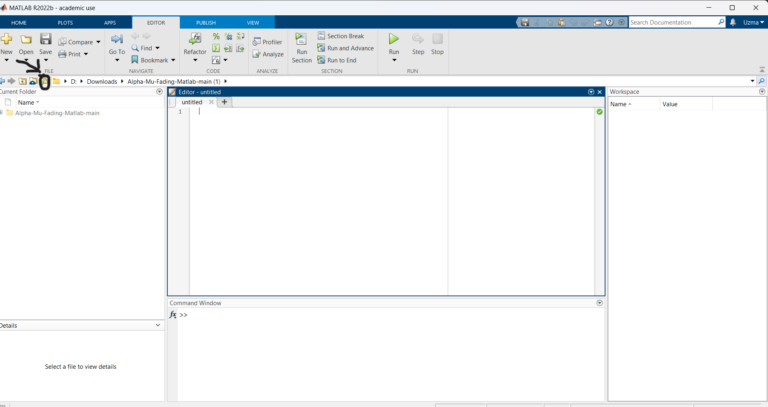
Open Matlab and click on the ‘browse for folder’ icon as shown below.
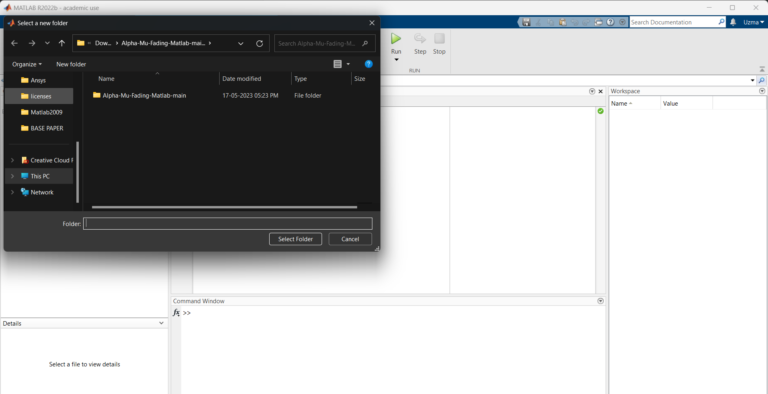
3. A pop-up window appears from which we can select the folder.
4. Run the main “.m” file.
Results of Enhancement of Satellite Image using 2D Level DWT
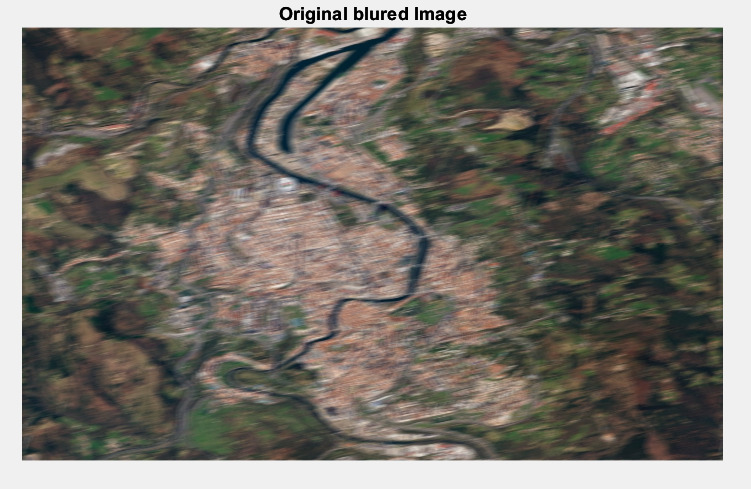
Fig 2: Original Blurred Image
Fig 3: Approximation and Detailed Coefficients
Fig 4: Final Reconstructed Image
Issues Faced
If we don’t give the proper full name of the satellite image with the format, an error will occur.
The workspace should be cleared before running the MATLAB code.