In this project we will be using OpenCV to analyze the facial expression of any person. The main aim of the project is to predict the facial expression or the mood of an person, weather the individual is happy or sad or angry or neutral etc. for perform this analysis a web cam is needed to track the facial expression. This project uses nonverbal data to analyze the facial expression of any person.
haarcascade_frontalface_default.xml:
haarcascade_frontalface_default.xml is a face detection algorithm which can easily identify the human face from an image or a video this is existing prior to the Deep learning became famous.
Code Description & Execution
How to Execute?
So, before execution we have some pre-requisites that we need to download or install i.e., anaconda environment, python and a code editor. Anaconda: Anaconda is like a package of libraries and offers a great deal of information which allows a data engineer to create multiple environments and install required libraries easy and neat.
Python: Python is a most popular interpreter programming language, which is used in almost every field. Its syntax is very similar to English language and even children and learning it nowadays, due to its readability and easy syntax and large community of users to help you whenever you face any issues.
Code editor: Code editor is like a notepad for a programming language which allows user to write, run and execute program which we have written. Along with these some code editors also allows us to debug, which usually allows users to execute the code line by line and allows them to see where and how to solve the errors. But I personally feel visual code is very good to work with any programming language and makes a great deal of attachment with user.
Note: Make sure you have added path while installing the software’s.
Install the prerequisites mentioned above.
Step1
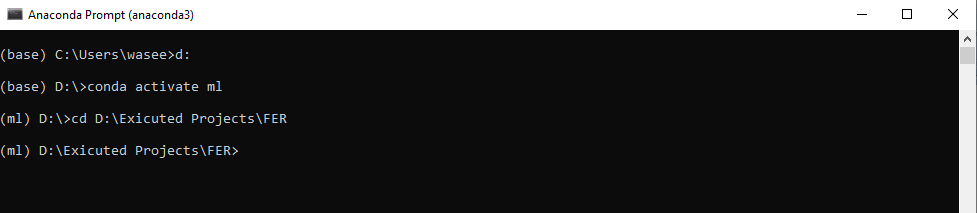
Open anaconda prompt and create a new environment. To create an environment use the commands given below. Replace env_name by the name of environment you want to give.
conda create -n “env_name”
conda activate “env_name”
Step2
Set up jupyter notebook for your environment
conda install –c conda-forge jupyterlab
conda install –c anaconda ipython
Step3
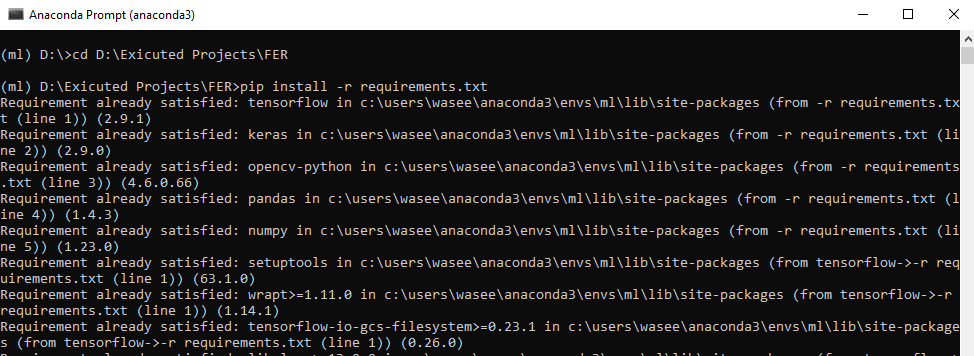
Install necessary libraries from requirements.txt file provided.
Go to the directory where your requirement.txt file is present.
D:\Exicuted Projects\FER
Run command pip install -r requirements.txt or conda install requirements.txt
Requirements.txt is a text file consisting of all the necessary libraries required for executing this python file. If it gives any error while installing libraries, you might need to install them individually. All the required files will be downloaded after you run it. I got requirement already satisfied as I already have them installed.
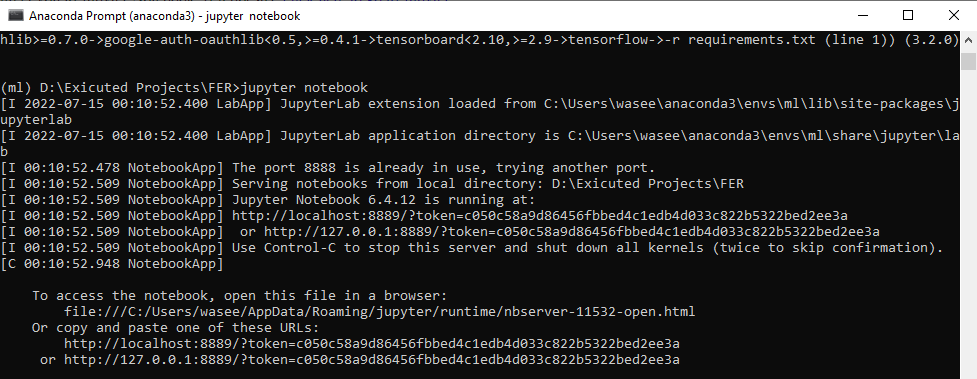
All the necessary files will get downloaded. To run the code, open anaconda prompt. Go to virtual environment if created or operate from the base itself and start jupyter notebook, open folder where your code is present.
Step4
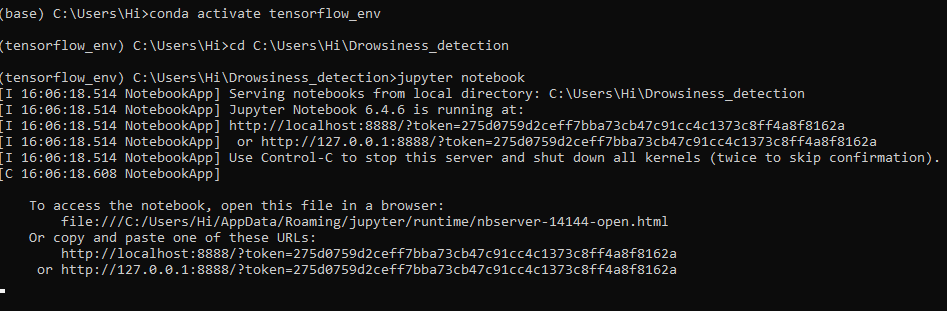
To run the code, start jupyter notebook by typing “jupytrr notebook” in command prompt, this will navigate directly to jupyter notebook in your default web browser
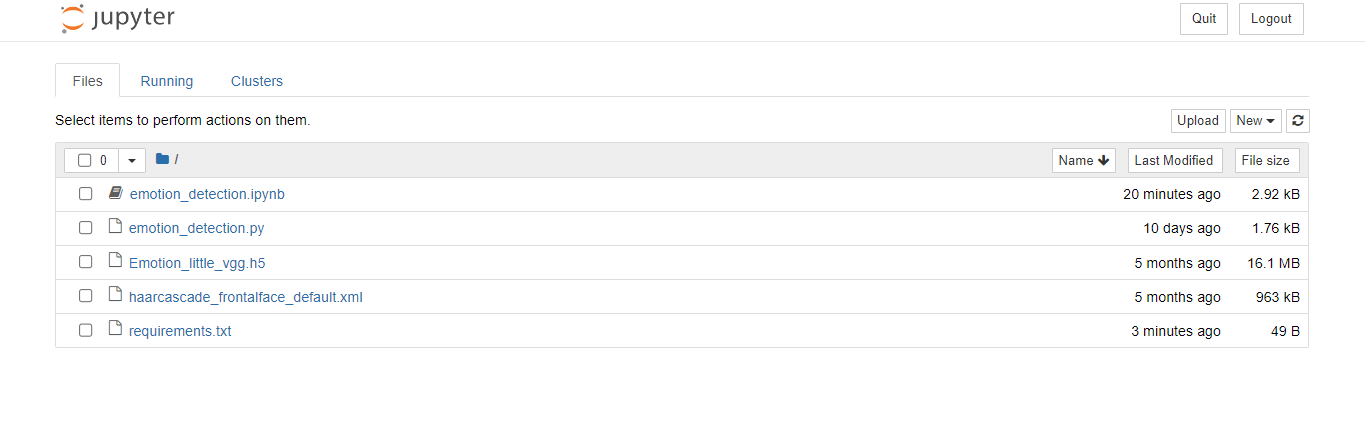
Open the folder containing the code, here it is Facial emotion recognition. When you run the emotion_detection.ipynb file, you get the appropriate results.
Results
Issues Faced
Check adequate light source when in front of camera for accurate results